Basic Procedure Coding Systems – Week 1 CBCS Portal Work
Billing and Coding – Study Guide 3.0
Each week, you will
access the Certified Billing and Coding Specialist study guide work through the
NHA Portal. You are expected to
complete the list of activities in each weekly Certificate Portal Work
assignment. These activity modules are consecutive – meaning on-going or
back-to-back. Each time you log in, the NHA portal will begin wherever you have
left off. To learn more, read the steps offered in this document or view the
video tutorial on navigating
the NHA portal (3:14).
Complete this
list of activities:
Ø
CBCS
Study Guide 3.0 Lesson – Module 1: The Revenue Cycle and Regulatory
Compliance
Ø
Overview
Ø
Revenue
Cycle Concepts
Ø
Generate
and submit the study guide report for the weekly assignment in Blackboard (see
instructions included in this document)
Portal Directions to Follow
Use the
following directions to complete your weekly assigned activities. These
directions include accessing the weekly content and generating a weekly report.
Note: You may wish to save this document for future
reference as you proceed in the course as a helpful reminder on how to access
content and generate reports.
Portal Login
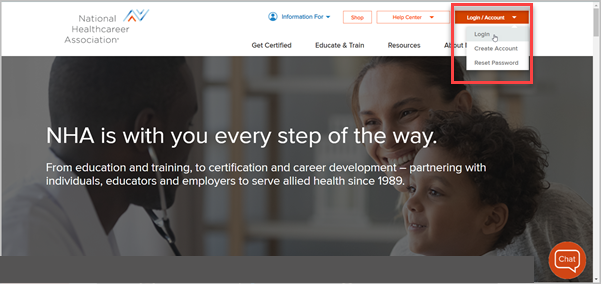
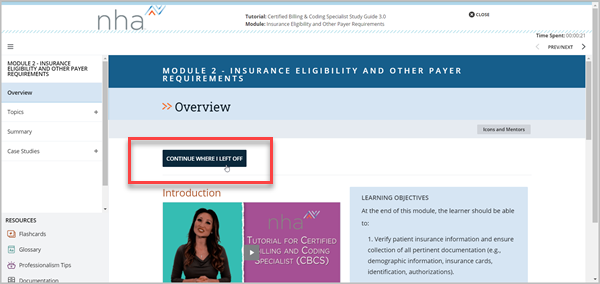
Note: Each time you log in to resume your work,
the NHA Portal offers a Continue Where You Left Off button
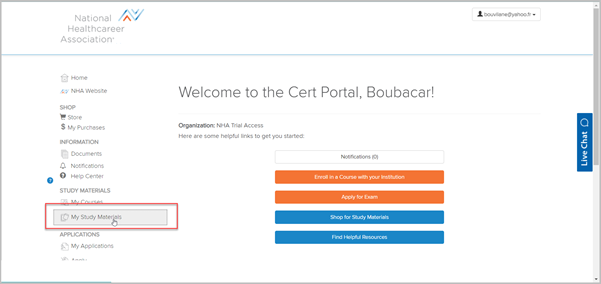
Locating My Study Materials
The content you need to complete for each week is found in
the My Study Materials area of the portal
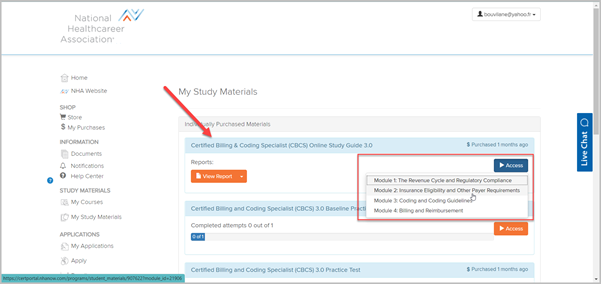
Use the Access button to find the correct module for
the week and select from the drop-down menu
Note: You are only completing the assigned module
for the course
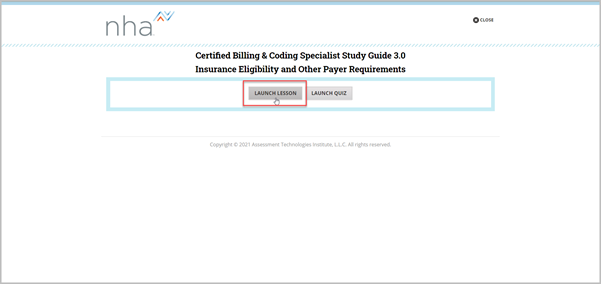
Choose the Lesson option
Note: Later in the course when you work on a
Practice Test you will navigate to that differently
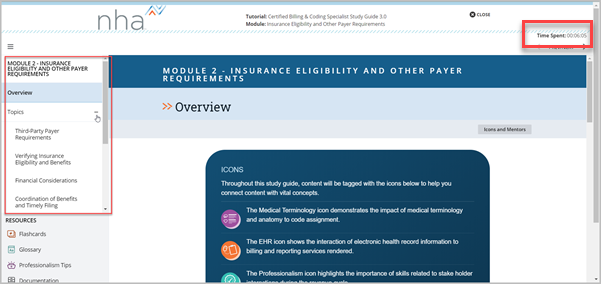
From the left-hand navigation choose the
assigned weekly activities to complete from the Topics and Case Studies
o
Select the + sign to reveal the content
o
Time Spent in your current session displays in
the upper right-hand corner of the screen
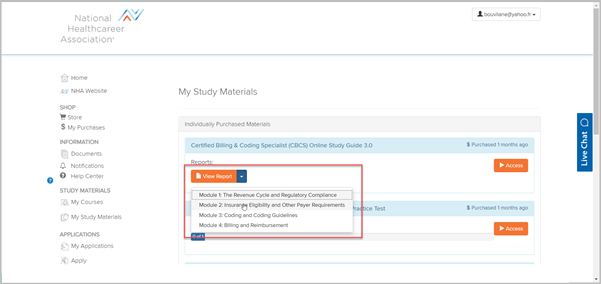
Weekly Report
Each week you must generate and submit this report to
your instructor via Blackboard
o
Use the View Report button from your portal home
page
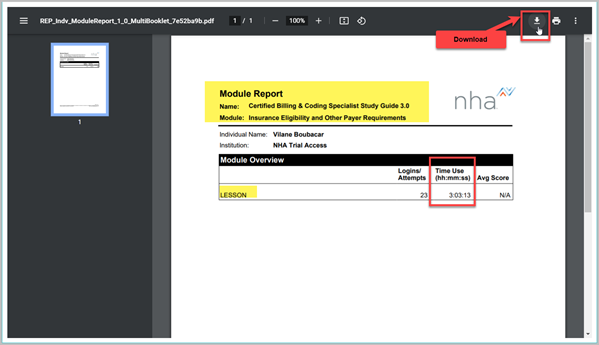
Your report opens in PDF
format and can be saved and printed. Choose the download and save option.
o
The report will contain information about the
time you have spent in your Study Guide
o
Title and save your PDF file using this file
naming convention, CourseID_LastNameW1Cert (ex. HP212b_SmithW1Cert), attach to
the assignment dropbox in Blackboard, and
submit.
Grantham University © 2021